


Tourist: AI Trip Planner
0.00.00 Reviews
App Specs
- Version
- 6.1.1
- Updated On
- License
- Free
- Downloads
- 10,000+
- Developer
- Tourist: Travel the World
- Categories
- Travel & Local
- Platform
- Android
Screenshots

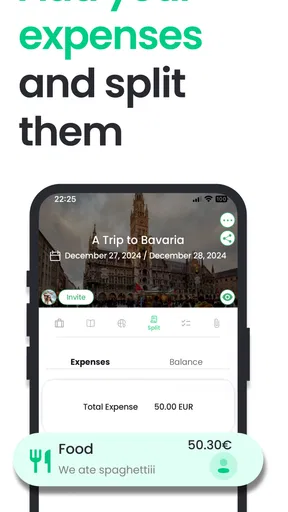
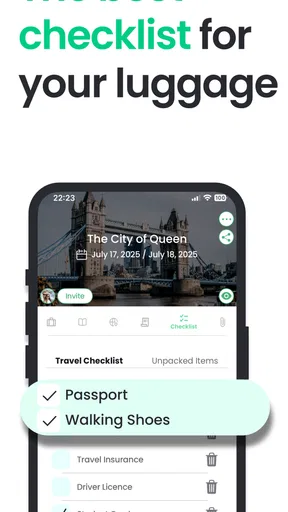
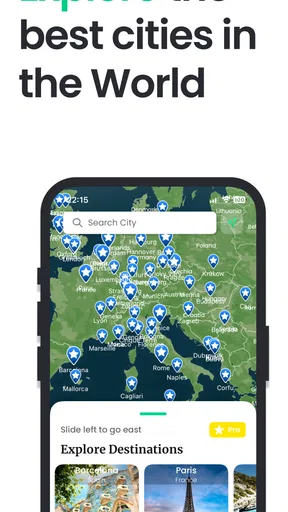
 Analysis by AppCompare
Planning a trip often becomes a second job. I may know where I want to go, but turning that idea into sensible days, places, and activities can involve too many tabs and scattered notes. Tourist: AI Trip Planner is built around making that early planning stage less messy. It is a free travel and local app from Tourist: Travel the World, aimed at helping me discover destinations, shape an itinerary, and share the experience instead of keeping every detail in separate tools.
What interested me most is not the promise of an endless travel database. It is the way the app puts the itinerary at the center. That changes how I think about a trip: rather than collecting attractive places one by one, I can work toward a plan that has some order. In my experience, that is the useful distinction between browsing travel ideas and actually preparing to leave.
Turning travel ideas into a workable itinerary
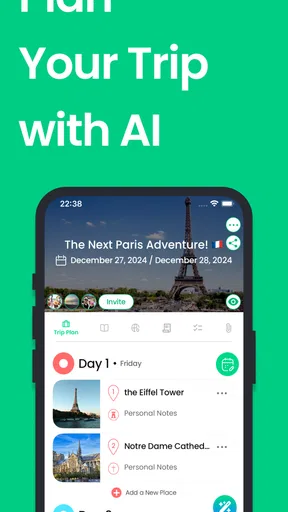
The main capability is itinerary planning. I can begin with a destination or a general travel idea, explore possible places, and bring the useful discoveries into a trip plan. The practical benefit is that the app gives those discoveries a home. A restaurant, landmark, neighborhood, or activity is more valuable when I can consider it as part of a particular day rather than leave it buried in a saved collection.
This approach suits the awkward middle stage of planning, when I have enough ideas to feel excited but not enough structure to know what belongs together. A conventional map is excellent for checking where things are, while a notes app is flexible but leaves all the organizing work to me. Tourist: AI Trip Planner sits between those two habits by treating the trip itself as the main object.
I would not describe it as a replacement for careful research. Instead, I see it as a planning workspace that can help turn research into something readable. That difference matters. If I am comparing opening hours, transport connections, ticket rules, or a hotel’s exact location, I still need to verify those details through appropriate sources. The app is most useful for arranging the shape of the trip, not for removing the need for judgment.
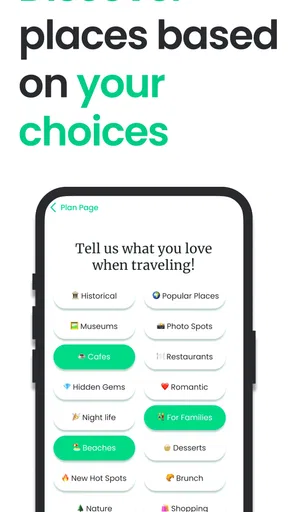
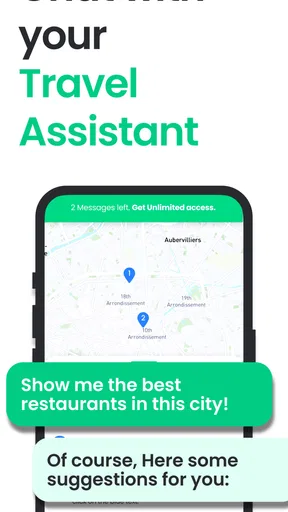
The AI angle is appealing when I am starting with a vague request rather than a finished schedule. A traveler may know the destination and the general mood of the trip but have no idea how to divide the days. Letting the app help form an initial direction can reduce the intimidating blank page. I still prefer to edit the result mentally and practically, because an itinerary that looks full is not automatically an itinerary I would enjoy.
What the planning flow feels like
I find the best way to use the app is to start broad, then become selective. First, I would use it to gather a short list of places that fit the purpose of the trip. After that, I would group them by area and energy level instead of simply adding everything that looks interesting. This is where the app becomes more valuable than a basic inspiration feed: the goal is not just to discover more, but to decide what deserves space in the plan.
Worth Reading Before You Choose

Flipboard Shows What News Apps Must Do Beyond the Feed

Switching to Android Auto Means Rethinking Your Driving Routine

Google Calendar Makes a Crowded Week Easier to Manage

Ludo King Makes the Most of the Minutes Between Plans

Baby Panda World Brings Quick Play to Modern Phones, but Its Game Library Feels Busy

ESPN’s Live Game View Makes Following Close Games Easier
For a city break, I might separate a museum-heavy morning from a relaxed afternoon in a nearby neighborhood. For a family trip, I would avoid filling every day with major attractions and leave room for meals, breaks, and unexpected delays. For a solo trip, I might use the itinerary as a reassuring outline while keeping enough flexibility to change direction. The same planning tool supports all three approaches, but the quality depends on how realistically I use it.
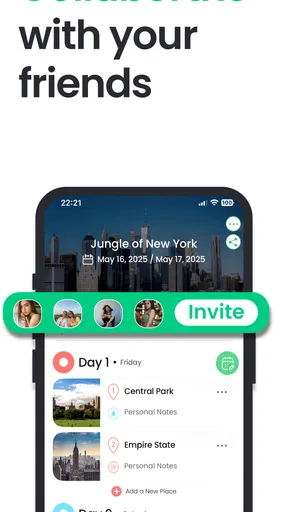
Sharing is another useful part of the concept. A trip can involve several opinions, and sending a rough plan is easier than explaining it through a long chain of messages. I would use sharing before the trip to ask a companion which stops matter most, then revise the itinerary around those priorities. That makes the app useful not only for the person who enjoys planning, but also for the person who wants to see a clear plan without building one from scratch.
One small but important habit is to create a “must do” layer mentally, even if the app presents a broader itinerary. I would distinguish between fixed commitments and optional ideas. A reservation or timed visit should not be treated like a casual suggestion. Keeping that distinction clear prevents the common mistake of making every item feel equally urgent.
A realistic weekend example
Imagine I am arranging a long weekend in a city I have never visited. On the first evening, I use the app to collect a few central sights, a market, two meal ideas, and a quieter area for walking. I do not immediately try to fill every available hour. Instead, I look for natural combinations: places that can share a day without forcing me to cross the city repeatedly.
On the next pass, I remove anything that feels attractive only because it appeared during browsing. This is one of the strongest practical uses of an itinerary tool: it makes overplanning visible. A list can hide excess; a day-by-day outline exposes it. If one day contains too many major stops, I can move an item to another day or leave it as an optional choice.
Before leaving, I would review the plan with a companion through the sharing function. Rather than asking, “What do you want to do?” with no context, I can ask whether the balance feels right. That usually produces a better conversation. The itinerary becomes a shared draft, not a demand that everyone follow a rigid schedule.
During the trip, I would treat the plan as a guide rather than a contract. Weather, tiredness, queues, and mood can change the best decision. The app helps me remember what I considered, but it should not pressure me into completing every item. That is a subtle trade-off: structure reduces decision fatigue, while too much structure can make travel feel like a checklist.
Where it improves on familiar alternatives
Search engines are useful when I have a precise question, but they often leave me with disconnected answers. Map apps are better for location and navigation, yet they can encourage me to save dozens of places without deciding how they fit together. A notes document gives me complete control, although I must design the organization myself. Tourist: AI Trip Planner is more focused on the transition from discovery to itinerary.
That focus is its clearest advantage. I do not need to invent a planning structure before I can begin. The destination, discoveries, and shared trip idea are brought into one travel-oriented context. For someone who normally keeps screenshots, messages, and browser tabs scattered across a phone, that can be a meaningful improvement even before the actual journey begins.
There is also a difference in the kind of decision the app supports. A map asks, “Where is this?” A search result asks, “What is available?” An itinerary asks, “When does this belong, and does it fit with the rest of my day?” That final question is where many travel plans fail, and it is where this app has the most relevant role.
Limits I would keep in mind
The app cannot know my personal travel rhythm perfectly. A suggested schedule may look sensible while ignoring how long I like to linger, how much walking I tolerate, or whether I prefer spontaneous choices. I would therefore use any generated direction as a draft. The more specific my needs are, the more important it becomes to review each part rather than accept the first arrangement.
There is a similar limitation with real-world conditions. A plan can become outdated because of closures, reservations, weather, traffic, or seasonal changes. I would check time-sensitive details separately before committing to a day. This is not a criticism unique to this app; it is a basic reality of travel planning. Still, a polished itinerary can create false confidence if I forget that the city itself is not static.
Another trade-off is simplicity versus depth. The app is attractive when I want a clear trip outline, but travelers who need highly detailed logistics may still prefer a combination of specialist tools. Someone organizing complex rail connections, accessibility requirements, business appointments, or multiple booking references may need more granular control than an itinerary-focused app is designed to provide.
The free price makes it easy to try without making the decision feel heavy. At the same time, in-app purchases range from $0.99 to $104.99 per item, so I would pay attention to what is included before buying anything. I would begin with the free experience and only consider an optional purchase if it solved a specific planning problem for me. That is a more sensible approach than assuming every paid option is necessary.
The age rating is Everyone, which fits the broad travel-planning purpose. The app is also relatively lightweight in reach, with over 10K installs, so I would not choose it simply because it is the most established travel platform. I choose it for the planning style. Its value comes from whether I like organizing a trip around a shared itinerary, not from popularity alone.
Who will benefit most
I think the strongest audience is the traveler who has plenty of ideas but struggles to turn them into a sequence. First-time visitors to a destination can benefit because the blank page is often the hardest part. Couples and groups may also appreciate the sharing angle, particularly when one person usually carries all the planning responsibility.
It is also a good fit for people who want a trip to feel intentional without scheduling every minute. I can use the itinerary to establish neighborhoods, priorities, and optional stops, then leave breathing room around them. That balance is more realistic than either extreme: complete spontaneity can waste time, while a packed schedule can make a holiday tiring.
The app may be less suitable for travelers who already have a trusted system built around detailed spreadsheets, booking managers, and navigation tools. If I enjoy manually controlling every field and every connection, a guided planning experience may feel less precise than my existing workflow. Likewise, someone looking only for live navigation should use a map-first solution instead.
For me, the deciding question is simple: do I need more travel inspiration, or do I need help making my existing inspiration usable? Tourist: AI Trip Planner makes more sense for the second need. Its central strength is not merely showing places; it is encouraging me to arrange them into a trip I can understand, discuss, and adjust.
Device details and my recommendation
The app was released on Jun 8, 2021, and the current version is 6.1.1. It requires iOS 12 or later, so I would check compatibility before planning around it. The developer is Tourist: Travel the World, and the app is available free of charge with optional in-app purchases. Those details make it approachable for a quick trial, while the purchase range is a reason to review any upgrade screen carefully.
After using it as an itinerary-centered travel companion, I would recommend it to a friend who wants help moving from scattered ideas to a coherent plan. I would not recommend treating it as an unquestionable travel authority or as a complete substitute for maps, booking services, and last-minute checks. Its real strength is giving travel decisions a structure without forcing me to surrender control.
If I were preparing a trip today, I would use it in three passes: discover a manageable set of possibilities, arrange them into practical days, and then trim the schedule until it leaves room to breathe. That workflow plays to what this app does best. It is most convincing when it helps me make fewer, better choices rather than simply giving me more places to save.
In short, Tourist: AI Trip Planner is a focused Travel & Local app for people who want a clearer route from curiosity to itinerary. It will not eliminate the need for personal judgment, and it is not the right tool for every detailed travel workflow. But when the problem is a messy collection of ideas and no satisfying plan, I find its approach genuinely useful.
Pros
- Creates personalized itineraries from destinations
- dates
- and travel preferences.
- Helps organize attractions
- restaurants
- and activities in one trip plan.
- Useful for discovering lesser-known places beyond typical tourist highlights.
- Can reduce planning time by suggesting a logical daily travel schedule.
- Simple interface makes it approachable for users planning their first trip.
Cons
- AI suggestions may include closed venues or outdated travel information.
- Generated schedules can be too ambitious for realistic travel times.
- Recommendations may lack local nuance compared with advice from residents.
- Some useful planning features may require a subscription or in-app purchase.
- Internet access may be needed to generate or update trip recommendations.
FAQs for Tourist: AI Trip Planner
What is Tourist: AI Trip Planner and how does it work?
Tourist: AI Trip Planner is designed to help you organize trips with the assistance of artificial intelligence. You can provide details such as your destination, travel dates, interests, budget, and preferred activities, then receive suggested itineraries and travel ideas. It is useful for creating a starting plan, although you should still verify opening hours, transportation details, prices, and local restrictions before relying on the recommendations.
Can Tourist: AI Trip Planner create a complete itinerary for my trip?
The app can help build a day-by-day travel plan by combining destinations, attractions, restaurants, activities, and sightseeing ideas. The quality of the itinerary depends on the information you enter and the destination you choose. In my experience, it works best as a planning assistant rather than a fully automatic travel agent, so you may need to rearrange activities, add reservations, allow rest time, and adjust the schedule to match your real preferences.
Does Tourist: AI Trip Planner require an internet connection?
An internet connection is generally needed for generating AI recommendations, updating trip information, and accessing online destination data. Some previously viewed plans may remain available inside the app, but you should not assume that every feature works offline. If you are traveling internationally, prepare your itinerary before leaving, download important confirmations separately, and check whether mobile data or roaming costs could affect your experience.
Is Tourist: AI Trip Planner free to download and use?
The app may be available to download without an upfront charge, but some features can depend on the current subscription model, in-app purchases, usage limits, or premium travel-planning tools. Because pricing and included features can change, check the app store listing and the payment screen carefully before starting a trial or subscription. Also review renewal terms so you are not surprised by recurring charges.
Can I trust the recommendations and information provided by the app?
Tourist: AI Trip Planner can save time when you need inspiration, but AI-generated suggestions should be treated as guidance rather than guaranteed facts. Recommendations may be outdated, unavailable, too expensive, or unsuitable for your schedule. Before visiting, confirm addresses, business hours, ticket requirements, weather conditions, transport routes, and safety information through official sources. Avoid sharing sensitive personal or payment information unless you understand the app’s privacy and security practices.


